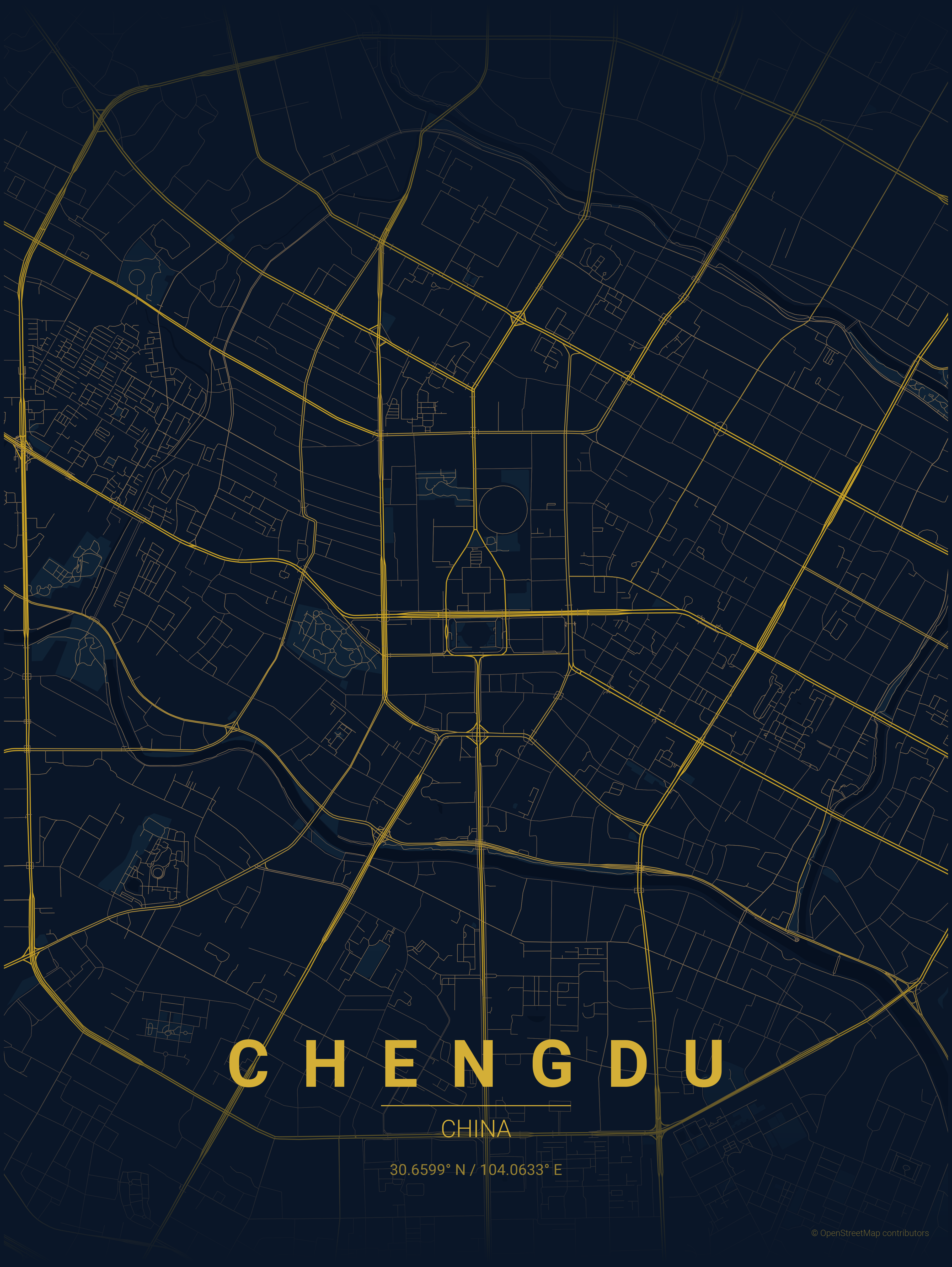
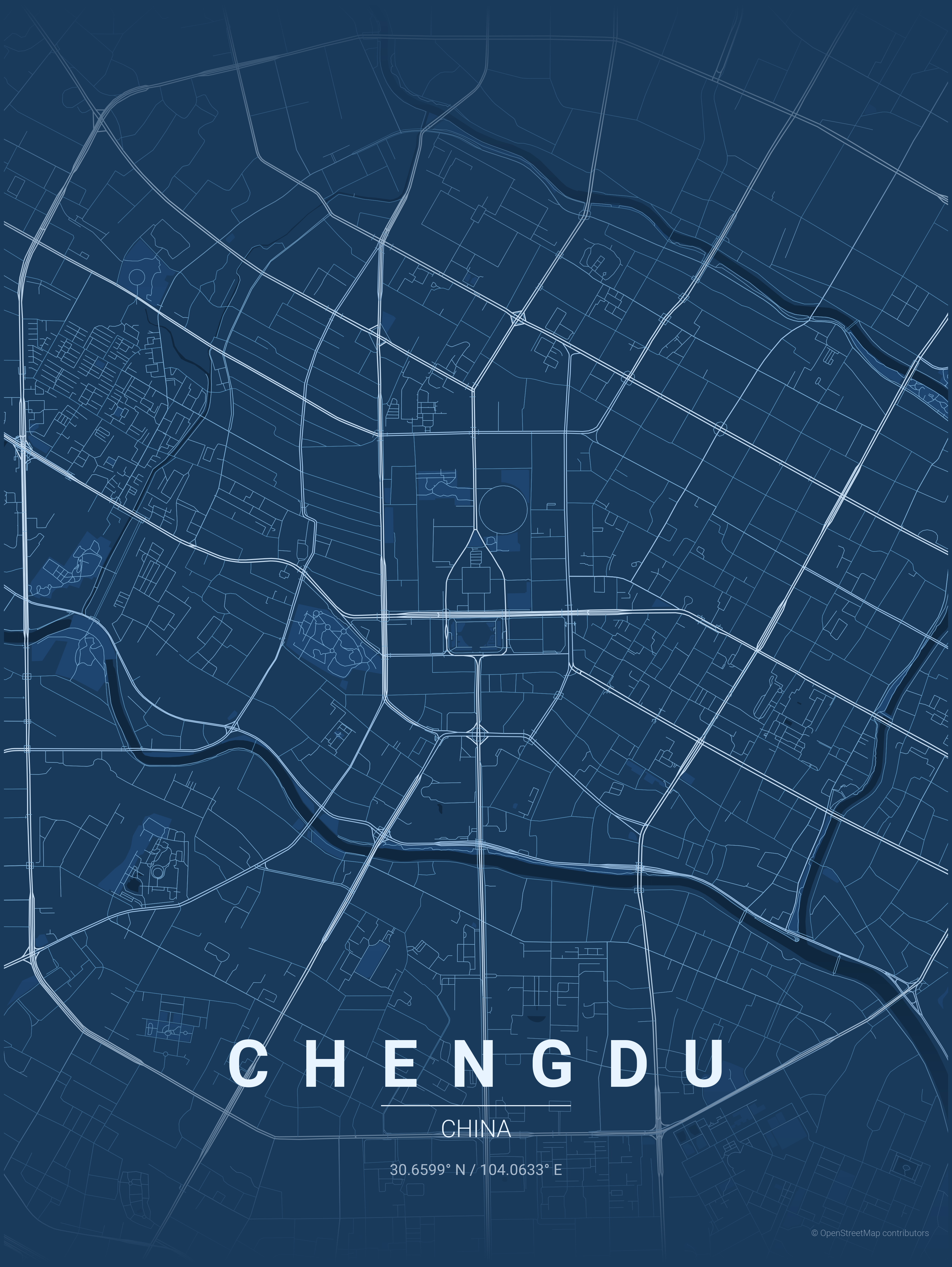
TL;DR I got two Chengdu posters I like. Choosing the colors was the fun part. Checking the place-name, the Chinese font and the downloaded layers took a little more care.
These are the two I’d keep
I wanted to see a familiar city as a poster. Chengdu gave me something worth keeping.
My favorites were midnight_blue and blueprint. The colors feel comfortable to look at. That’s what made me pick those two.
The same streets feel different with a different palette. Being able to choose the version I like is a big part of the appeal here.
What is MapToPoster?
MapToPoster is an open-source Python tool for making map posters. You give it a city and country, choose a theme, and it draws roads, water and green spaces from OpenStreetMap.
The shape comes from the map data. The theme supplies the colors. It’s a straightforward way to turn a place you care about into an image.
Getting to the picture takes some setup
The version I used runs from the command line. It needs Python dependencies and an internet connection to fetch the maps. It has more setup than an app where you open a window and choose a city.
Once it was running, trying another palette was easy. That was the enjoyable part: looking at the actual posters and deciding which ones I liked.
The downloads were less predictable. Some map requests failed. The script could still save a poster after a water or park layer failed to arrive, and even print a success message.
That makes looking at the picture part of the job. If something seems missing, I’d check whether it downloaded properly before blaming the city map.
Chinese labels need the right font
For a poster that says 成都 / 中国, I needed to select Noto Sans SC. With the bundled default font, those characters came out as boxes.
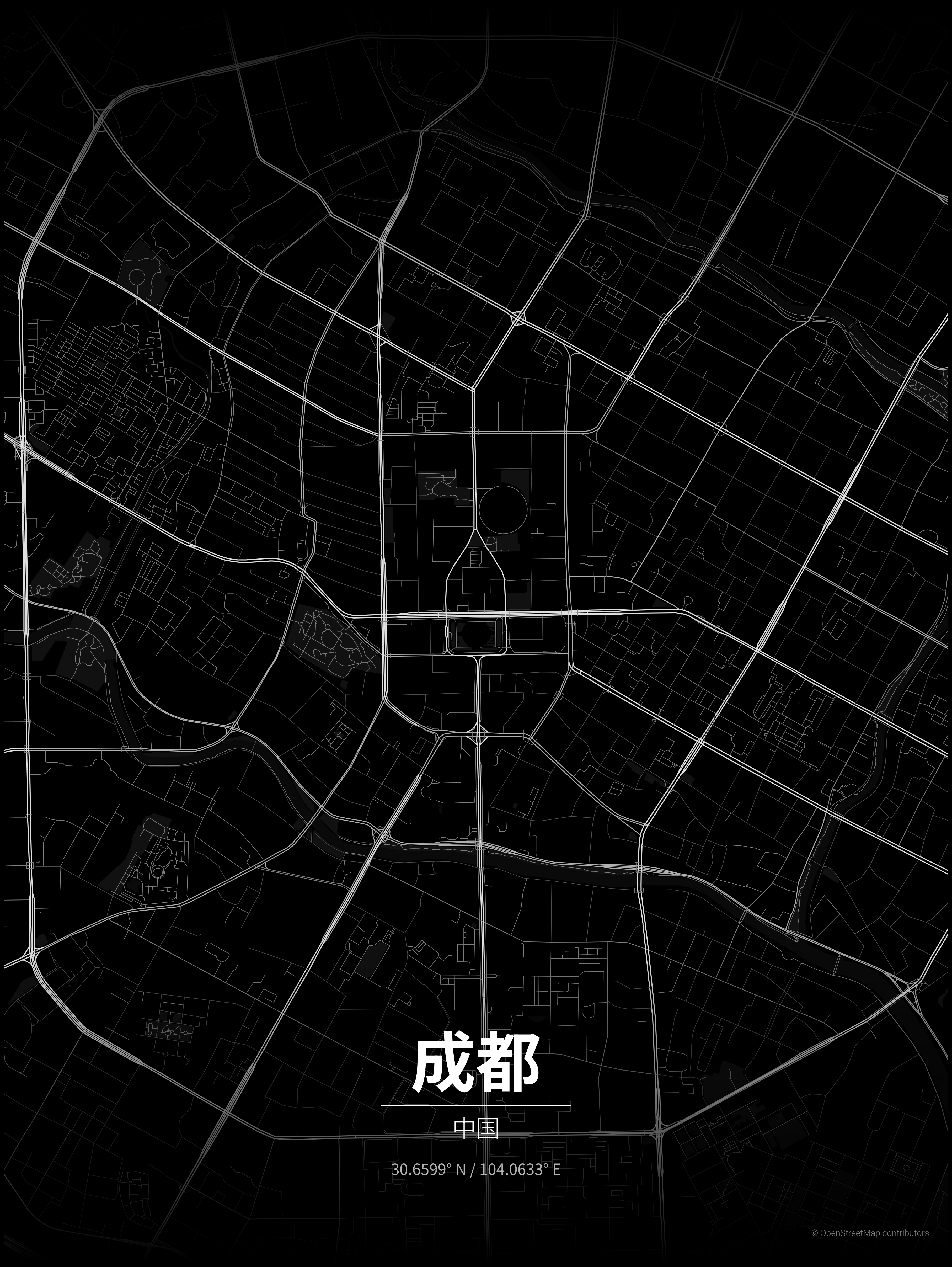
This is a setting worth knowing before you make a Chinese-language poster. Searching for a city and being able to print its name are separate parts of the experience.
The search result needs a look, too. When I entered 伊犁 / 中国, it found a place named 伊利 in Huanggang, Hubei. Using Yili / China had found Ili Kazakh Autonomous Prefecture in Xinjiang.
The name printed on the poster follows what you typed. That can make a wrong location easy to miss. I’d check the returned place before choosing the colors.
Would I use it again?
For making a digital poster of a familiar city, I can see the appeal. I have two Chengdu images I like, and they’re the part of this session I’d keep.
The setup and occasional failed downloads take some patience. A more visual way to pick the place would make it easier to recommend to someone who doesn’t use a terminal.
For now, I’ve looked at these on screen. I haven’t printed them, so I can’t tell you how they look on paper yet.
If you make one of your own city, I’d like to see which palette you choose.
A note on these images
These posters came from the official Python version, run locally on Windows. The map geometry and images weren’t manually retouched.